
New Alternative Text Generator Powered by Navigator AI Available
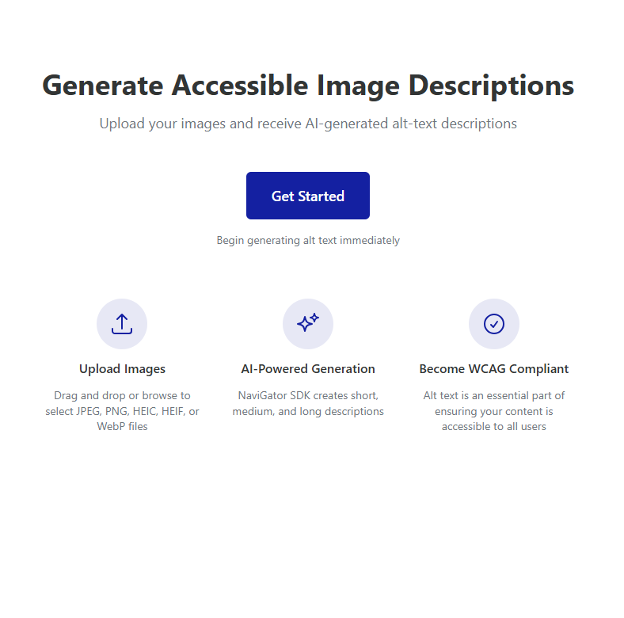
Writing alternative text (or alt text) for images can be time-consuming and sometimes hard to conceptualize. Fear not! UFIT’s Center for Instructional Technology and Training is happy to announce that we now have an alternative text generator being piloted!
This alt text generator is a great starting point to creating those textual descriptions for all types of images. Whether it’s an image that needs a short description, or a more complicated graphic that needs a longer description, the alt text generator has you covered! Powered by NaviGator AI, this tool is available for pilot to the University of Florida community.
To access this tool, navigate to our alt text generator landing page. If you are off-campus, please note that you will need to sign into the VPN first to be able to access this tool. Once there you can upload up to 10 images at a time. Once your images are uploaded, you will see a short description already generated for you, but you can select to generate a medium or longer description from the drop-down menu located underneath the short description if needed.
Additionally, you can provide the AI with more context for your images to receive a description that’s as accurate as possible. When thinking about the additional information you may want to provide, think about what information you want the students to gain from the image. Is it a GIF used to motivate your students? You may want to include a one sentence description of what the GIF is and what it says. Is it an image that you want the students to focus on the stylistic choices that were made? Maybe focus less on the subjects in the image and more on those elements you want students to recognize. Once you have a starting point, you can copy the text provided and enter it into whatever tool you are using to house your images.
As always, with any content that is generated using AI, please review the output that is provided to verify that it is accurate or make any necessary edits before using in your content.
If you have any feedback, please don’t hesitate to reach out to UFIT’s Center for Instructional Technology and Training at citt@ufl.edu.
Tags: Accessibility, Artificial Intelligence